

CRTC operation
(C) 1998-2010 André Fachat
The 6545/6845 Cathode Ray Tube Controller (CRTC) is a flexible video chip. It has been used in the Commodore PET computers, and even early PC graphics cards.
For the operation of the video interface Commodore introduced the Cathode Ray Tube Controller (CRTC) 6545 with the third type of boards. This controller is very flexible, programmable and provides all necessary interface signals for the video hardware.
I have made a collection of test programs and timing examples for the CRTC in my CBM 8296. You can download the whole suite, including a (derived) diagram of the CRTC internals from the CBM archive as crtctest-1.1.tar.gz. It also includes a summary of the differences of the various CRTC models. You can have a look at some of the weird screen distortions in the test program documentation, and an overview over the derived CRTC internals on this page (all from the crtctest archive).
A sample schematic can be found on the CS/A65 computer page or in the PET schematics on the links page of the PET index.
The CRTC has a bus interface compatible to the 6502 bus system, using only two addresses.
The first address doubles as address register when writing and as status register when reading. I.e. reading the status register at address 0 gives the internal status of the CRTC as described below. Writing to the address register at address 0 links the value register at address 1 to the corresponding register in the internal register file.
Writing the index number of the internal CRTC register file to the address register provides access to the corresponding register in the register file. I.e. to write #13 to register #6 you have to store 13 to the address register and then 6 to the value register. This procedure is the same for all registers (except of course the status register). Therefore all mentionings of "register" (except for the status) will in the following denote internal CRTC register numbers, the value you write to the address register.
The video interface consists of the Memory Address lines MA0-13, the Row Address lines RA0-4, Display Enable DE, Cursor Enable CE, and Vertical and Horizontal Sync outputs. Only inputs are the /RESET line that clears all counters (providing a sort of synchronisation method), the Light Pen Strobe and the Character Clock CCLK.
There are several modes of operation for the CRTC available, but I will only go into the most common one, which is also used in the PET line of computers, the normal non-interlaced sync mode.
Status Register
The status register can be read by the CPU at CRTC address 0 and is thus not part of the internal CRTC register file but can be read by the CPU at any time.
Bit     Description
----------------------------------
 7      UR - Update ready (Rockwell R6545 only)
          0     Register 31 has been either read or written by the CPU
          1     an update strobe has occured
 6      LRF - LPEN Register Full
          0     Register 16 or 17 has been read by the CPU
          1     LPEN strobe has occured
 5      VRT - Vertical retrace
          0     Scan is currently not in the vertical blanking position
          1     [MOS6545] Scan is currently in its vertical blanking time
          1     [R6545] Scan is currently in its vertical re-trace time.
                   Note: this bit goes to a 1 one when vertical re-trace starts.
                   It goes to a 0 five character clock times before vertical
                   re-trace ends to ensure that critical timings for refresh
                   RAM operations are met.
Please note that the UR is not available on all models, and VRT bit is handled
differently by different models.
Register File
The registers are written to (only some can be read) by writing the register number to the CRTC address (+0) and write (resp. read) the value to (from) CRTC address plus 1.
The registers are basically the same for all chips (see the Diffs page):
R0      Horizontal Total (-1)
R1      Horizontal Display
R2      Horizontal Sync position [1]
R3      Horizontal Sync Width [4]

R4      Vertical total character lines (-1) (7 bit)
R5      Vertical total adjust rasterlines (5 bit)
R6      Vertical displayed character lines (7 bit)
R7      Vertical Sync position (7 bit) [1]

R8      Mode control [4]

R9      Number of rasterlines per characterline (-1) [2]

R10     Cursor start rasterline + cursor mode control (5+2 bit)
R11     Cursor end rasterline (5 bit)
R12     Display start address high (6 bit) [3]
R13     Display start address low (8 bit) [3]
R14     Cursor address high (6 bit)
R15     Cursor address low (8 bit)
R16     Lightpen address high (6 bit)
R17     Lightpen address low (8 bit)

[1] Motorola states that "(Set data) = (Designated Data) - 1",
    as it is known for R0, R4, and R9
[2] Commodore does not mention the "-1"
[3] It is possible to read R12 and R13 on Motorola CRTCs only.
    All others can only read R14-R17.
[4] Horizonal width and mode control are different from
    model to model (e.g. 6545 vs. 6845.)
Reading unused bits where possible reads a "0", which is, however, only explicitly stated in the Commodore docs.
Horizontal Timing
The word Line in a video context can have two meanings: The line of characters being displayed as text or a rasterline. A rasterline is a horizontal line of pixels that can either be black or white (or on or off, or in newer systems have one color). A character line consists of several rasterlines, i.e. all characters in one line have the same height.
The horizontal (line-) timing is determined by the character clock (that defines the length of one character and in which all line timing is measured) and the following registers:
R0   Horizontal Total Reg.           total length of line (displayed
                                     and non-displayed cycles (retrace)
                                     in CCLK cylces minus 1
R1   Horizontal Displayed Reg.       number of characters displayed in a
                                     line
R2   Horizontal Sync Position Reg.   The position of the horizontal sync
                                     pulse start in distance from line
                                     start
R3   Sync Width Reg. (Bits 0-3)      The width of the horizontal sync
                                     pulse in CCLK cycles (0 means 16)
This allows a very flexible rasterline timing . Changing the value of R2 (Sync Position) shifts the video image to the left or right. Here is an example of the line timing (assuming a fictional 40 column line):
CCLK cycle #   0000000000111111 .... 3333344444444445555555555
               0123456789012345 .... 5678901234567890123456789
                _________________  _______
Display Enable_|                          |___________________|
                                          ^ R1 = 40           ^ R0 = 59
                                                _______
HSync          __________________  ____________|       |______

                                               <-------> R3 = 8
                                               ^
                                                R2 = 45
During the scanline the MA0-13 address lines present the CRTC memory address of each character displayed, i.e. in the first CCLK cycle the memory address of the start of the line is presented, and for each following CCLK cycle the MA0-13 address lines are increased by one. Memory addresses are only valid, to be displayed addresses when the Display Enable signal is active (high).
Character Line Timing
A character line consists of a number of scanlines.
R9   Maximum Scan Line Address Reg.  Number of scanlines per character
                                     minus 1
As each scanline of one single character line should read the character value from the same position in memory, the address shown on the MA0-13 lines repeat each other for each scanline. Therefore the same memory location is being read.
To display different lines on screen the Row Address lines RA0-4 are used. They give the number of the scanline within the current character line. Thus by selecting a different character to raster translation with the RA0-4 lines the correct raster will be displayed for each rasterline of a character line.
rasterline  RA0-4  MA0-13
----------  -----  ------
   0         0       0, 1, 2, 3, 4, 5, 6, ...
   1         1       0, 1, 2, 3, 4, 5, 6, ...
   ...
   7         7       0, 1, 2, 3, 4, 5, 6, ...
   8         0      40,41,42,43,44,45,46, ...
   ...
   15        7      40,41,42,43,44,45,46, ...
   16        0      80,81,82,83,84,85,86, ...
   ...
After each character line the start of line character memory address is increased by the value of R1, Horizontal Total Displayed. For the first character the start of line character memory address is loaded from
R12  Start Address Reg. H (bit 0-5)  Bits 8-13 of the start of display
                                     memory address
R13  Start Address Reg. L            Bits 0-7 of the start of display
                                     memory address
Vertical Timing
To control the vertical timing there are other registers
R4   Vertical Total Register         The number of character lines
                                     of the screen minus 1
R5   Vertical Total Adjust Reg.      The additional number of scanlines
                                     to complete a screen
R6   Vertical Displayed Reg.         Number character lines that are
                                     displayed
R7   Vertical Sync Position Reg.     Position of the vertical sync pulse
                                     in character lines.
R3   Sync Width Reg (Bits 4-7)       length of vertical sync pulse in
                                     times of a rasterline
Those registers make up a similar timing as the horizontal timing. In the offscreen area (i.e. character line beyond R6) the Display Enable signal is set inactive all the time. Only R5 still needs to be explained. To allow a finer adjustment of the screen length than by the number of character lines (R4), R5 adds a number of blank scanlines at the end of the screen timing.
After the number of rasterlines (as given by R4 and R5) is displayed all counters are reset, the start of line character memory address is reset to the value of R12/R13 and the whole thing starts again.
Cursor Control
The CRTC can generate a hardware cursor signal
R14  Cursor Reg. H                   Bits 8-13 of the memory address
                                     where Cursor Enable should be
                                     active
R15  Cursor Reg. L                   Bits 0-7 of the Cursor Enable
                                     memory register
R10  Cursor Start Reg.               Bits 0-4 start scanline of cursor
                                     Bits 6,5:
                                          0  0    non-blink
                                          0  1    Cursor non-display
                                          1  0    blink, 1/16 frame rate
                                          1  1    blink, 1/32 frame rate
R11  Crusor End Reg.                 Bits 0-4 last scanline of cursor
The Cursor Enable signal (CE) is active when the memory address lines MA0-13 match the number set in R14/R15, and the scanline of the character is in the range of R10/R11 and a valid active cursor mode is selected.
- Straight binary vs. row/column addressing
The memory address counter can be set to two different modes. In the "straight binary" mode the counter is a normal 14 bit binary counter. The characters displayed on screen are taken from a consecutive area when MA0-MA13 are used as memory address.
In row/column mode MA0-MA7 dubs as the column counter CC0-CC7 and presents the value of the character counter for each rasterline. MA8-MA13 dub as row counter CR0-CR5 and present the number of the current characterline.
This means that in row/column addressing mode each rasterline is a power of two long, in general 256 bytes (or less, depending on how many address bits are used).
- Interlace and Video modes (All but Commodore)
In the interlace mode the vertical sync signal is alternately delayed or not delayed for half of a rasterline time. This results in that every even-numbered frame is slightly shifted up or down as compared to the odd-numbered frame. This allows to fill up the double number of rasterlines, where two rasterlines always have the same content. The total frame time would then be double the "normal" CRTC frame time, as the second CRTC frame is used to fill the rasterlines "in between". So two identical CRTC frames, slightly shifted, make up a full frame on the display.
This is different in the "interlace & video" mode. Here the rasterline counter for each char increases by two. Thus in the first of the two interlaced CRTC frames the even rasterlines are drawn and in the second the odd ones. This effectively doubles the vertical resolution of the monitor: One character still is e.g. 8 rasterlines high, but the even 4 rasterlines are drawn in the first frame, and the odd 4 rasterlines in the second. There are certain restrictions on the register values for interlace and interlace & video mode, please refer to the Motorola documentation. The most important is that the vertical display register (R6) must hold half the number of displayed characterlines.
- Shared and Transparent Addressing (Rockwell 6545 only)
This mode is set with R8 bit 3. Writing a 0 sets the shared adressing mode. In this mode the CRTC assumes that the CPU has an independent means of accessing the video memory - sharing the memory. A very common method is to switch the memory addresses from CRTC during Phi2/E low to CPU during Phi2/E high.
More interesting is the transparent mode that is set with R8, bit 3=1. In this case the CPU cannot directly access the video RAM. The CRTC has to generate the address for the CPU. This is done via the write-only registers
R18     Update Register high (6 bit)
R19     Update Register low (8 bit)
When R8 bit 7=1 then the CRTC puts the display memory address on MA0-13 during Phi2/E low, and the update address from R18/R19 during Phi2/E high, mimicking interleaved CPU access [I would assume this to be quite difficult if CCLK is not connected to Phi2/E]. In this mode it can be assumed that the CPU hardware knows when to access the memory. When R8 bit 7=0, then the CRTC waits for the horizontal and vertical retrace times to put the update address from R18/R19 on the address lines MA0-13. With R8 bit 6=1 pin 34 can be programmed to give a high pulse when the update address is valid. External latches might be necessary to store the data between initiating the access and receiving it.
The CRTC docs do not say anything about the read/write control, so this has to be set up with external hardware.
After each update access the address in the update register is incremented by 1. How does the CRTC know when an update has to be done? Status register bit 7 gives the answer. Reading or writing the - otherwise nonexisting - register R31 tells the CRTC to perform an update.
Interestingly the Commodore 8563 VDC chip used in the C128 computer seems to be a direct descendant of the CRTC. The first 20 registers (with the exception of the mode register, R8) are the same as the Rockwell 6545 registers. Specifically the VDC only allows the transparent addressing. Therefore even R31 is kept - here the data to be transferred to/from the video memory must be written to/read from. Because this access is horribly slow, the VDC can also do copy operations in the video RAM by itself.
The following table shows some timing examples for the PET CRTC as well as for a selfbuilt 6502 computer (CS/A65) with a 6545 CRTC. [Note that the CS/A65 values have been derived by my humble self to interface my CS/A65 computer to a normal german (PAL, 50Hz) TV set. I derived them by starting from some guessed values and then trial and error until the TV set sync'd...] Remember that even for 80 columns the PET use a CCLK of 1 MHz and double the characters by hardware (i.e. writing 40 to R1). Interestingly enough the CS/A65 parameter that have been found by trial and error match the 8032 values quite well.
                      4032    4032    8032    8032    CS/A65   CS/A65   PAL TV  PAL TV
                      text    graph   text    graph   1 MHz    2 MHz    graph   text
----------------------------------------------------------------------------------------------------------
CCLK rate [MHz]        1       1       1       1       1        2       1       1

R0 (hor. total)        49      49      63      63      63       126     63      63
R1 (hor. displ)        40      40      40      40      40       80      40      40
R2 (hor. sync)         41      41      50      50      50       100     50      50
R3 (syn width)         15      15      8       8       3        6       5       5

R4 (vert. total)       39      49      32      36      41       41      38      33
R5 (vert. adjust)      0       0       16      17      0        0       1       7
R6 (vert. displ)       25      25      25      25      25       25      25      25
R7 (vert. sync)        32      37      29      32      33       33      32      32

R9 (scanlines/char-1)  9       7       8       7       7        7       7       8

time per scanline [us] 50      50      64      64      64       63.5    64      64
scanl./char
 (R9+1)                10      8       9       8       8        8       8       9
time per charline [us]
 (R9+1)*t/scanline     500     400     576     512     512      508     512     576
scanlines total
 (R9+1)*(R4+1)+R5      400     400     313     313     336      336     313     313
time/fram [ms]
 scanl tot. * t/scanl  20.0    20.0    20.0    20.0    21.5     21.3    20.0    20.0
framerate [Hz]
 fram/time             50      50      50      50      47       47      50      50
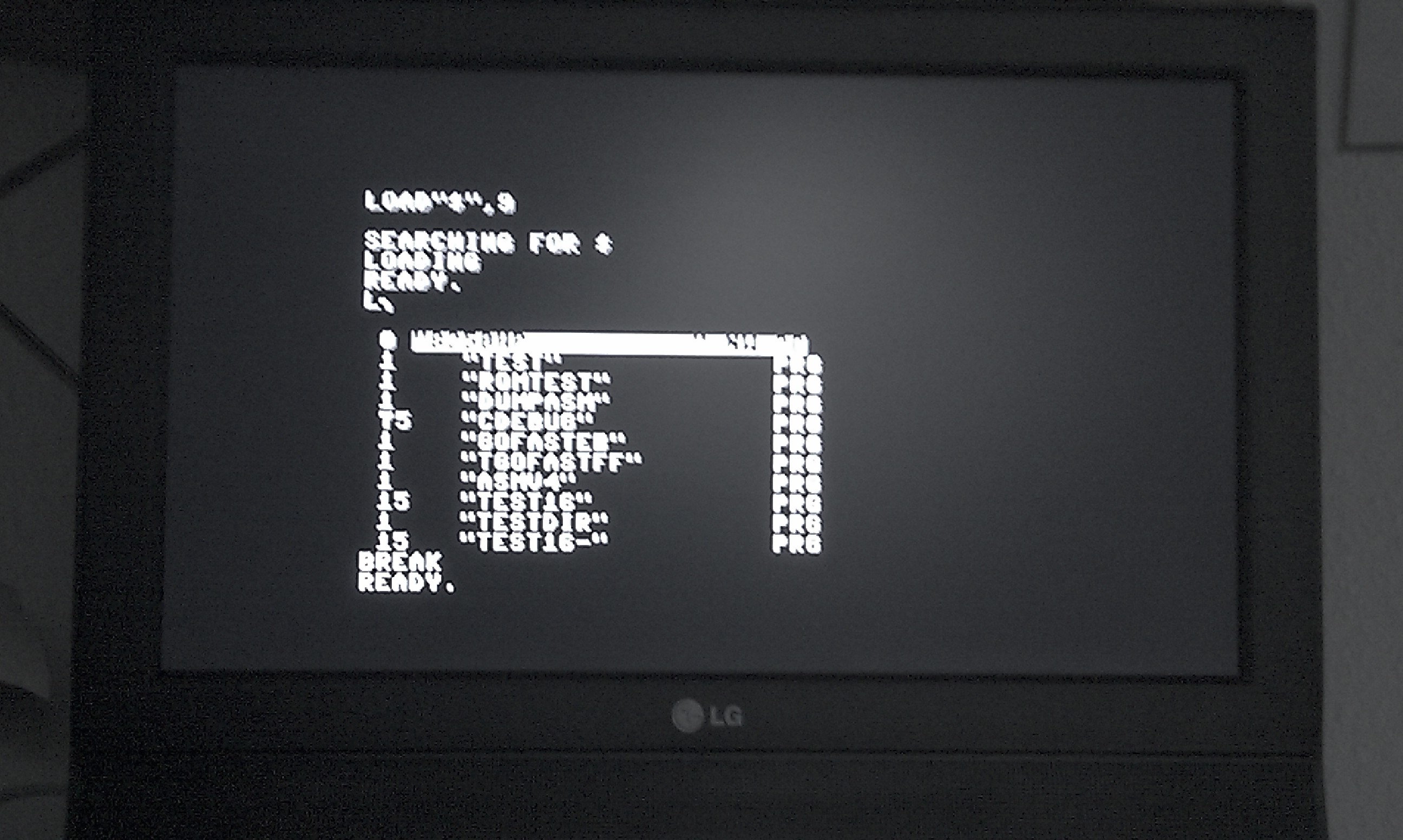
A CS/A video output on a modern TFT screen, using composite video using the "PUCOE" circuit.
The PAL TV values I have derived from the PAL timing standard - 64us per rasterline, 313 rasterlines per half-screen (which is simply repeated with the PET). As you can see the 8032 values for the 50Hz PET are PAL signal standards. You should thus be able to create valid PAL TV composite video signals from the user port (which carries the necessary HORZ DRIVE, VERT DRIVE and VIDEO signals - you'd need the 5V VCC from the tape drive connector though).
Disclaimer
Return to Homepage
Last modified: 2013-11-02